
Summary
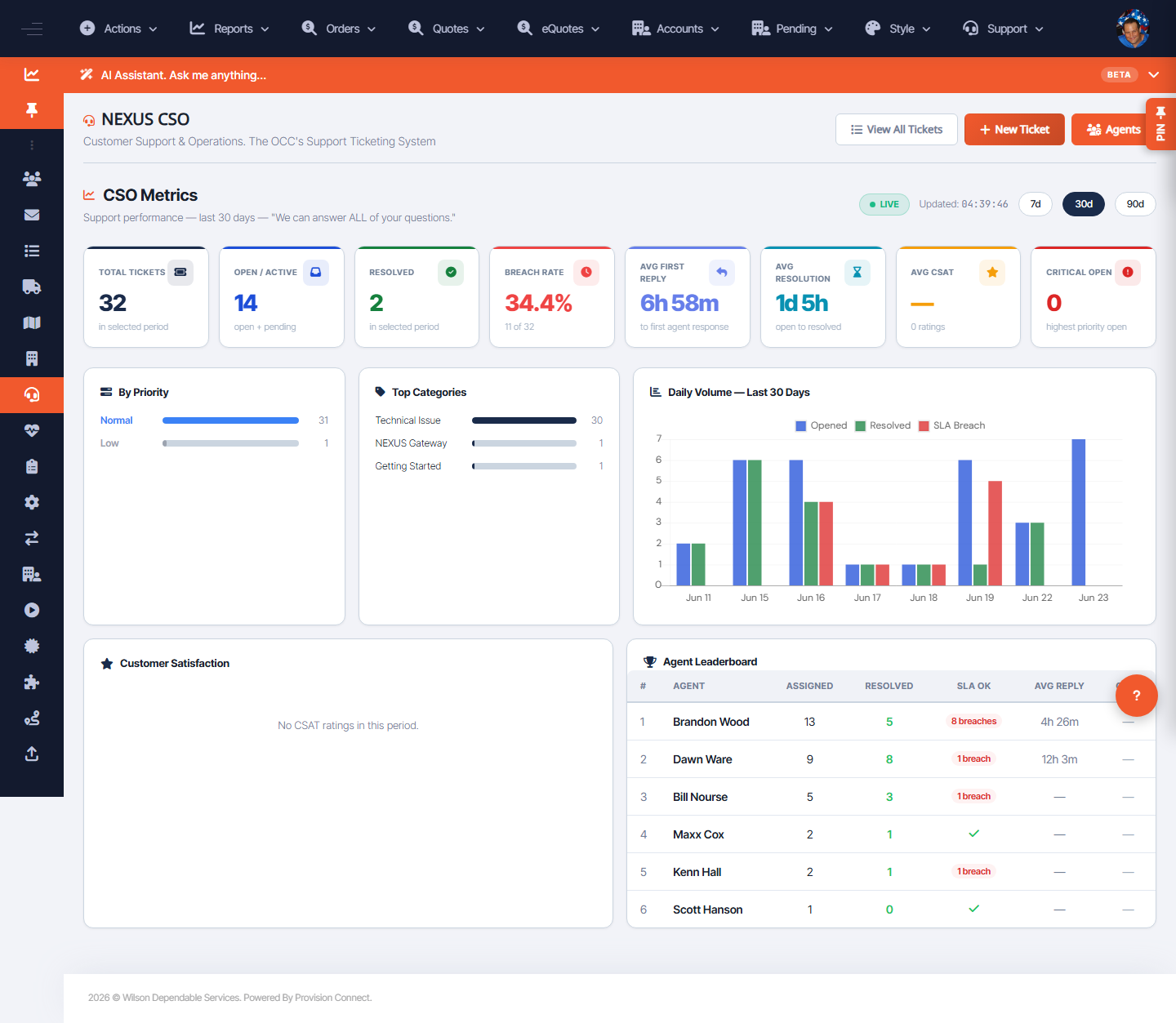
Ticket Metrics shows support performance — volumes, SLA, and trends — to manage the desk and spot bottlenecks. The CSO area also includes Macros, a Knowledge Base, and Agents.
Before you start
- Required role: Admin or Support Agent
Steps
- Go to Support Portal ? Ticket Metrics (
/cso.cfm?view=metrics). - Review volumes, SLA attainment, and trends.
- Use the related CSO views — Macros (canned responses), Knowledge Base, and Agents — to improve throughput.
What success looks like
You can see how the support desk is performing and where SLAs are at risk.
Gotchas / troubleshooting
- Use metrics alongside the live Queue SLA column to act before breaches, not just review after.
Related
- Work the support ticket queue
- Create a support ticket