
Summary
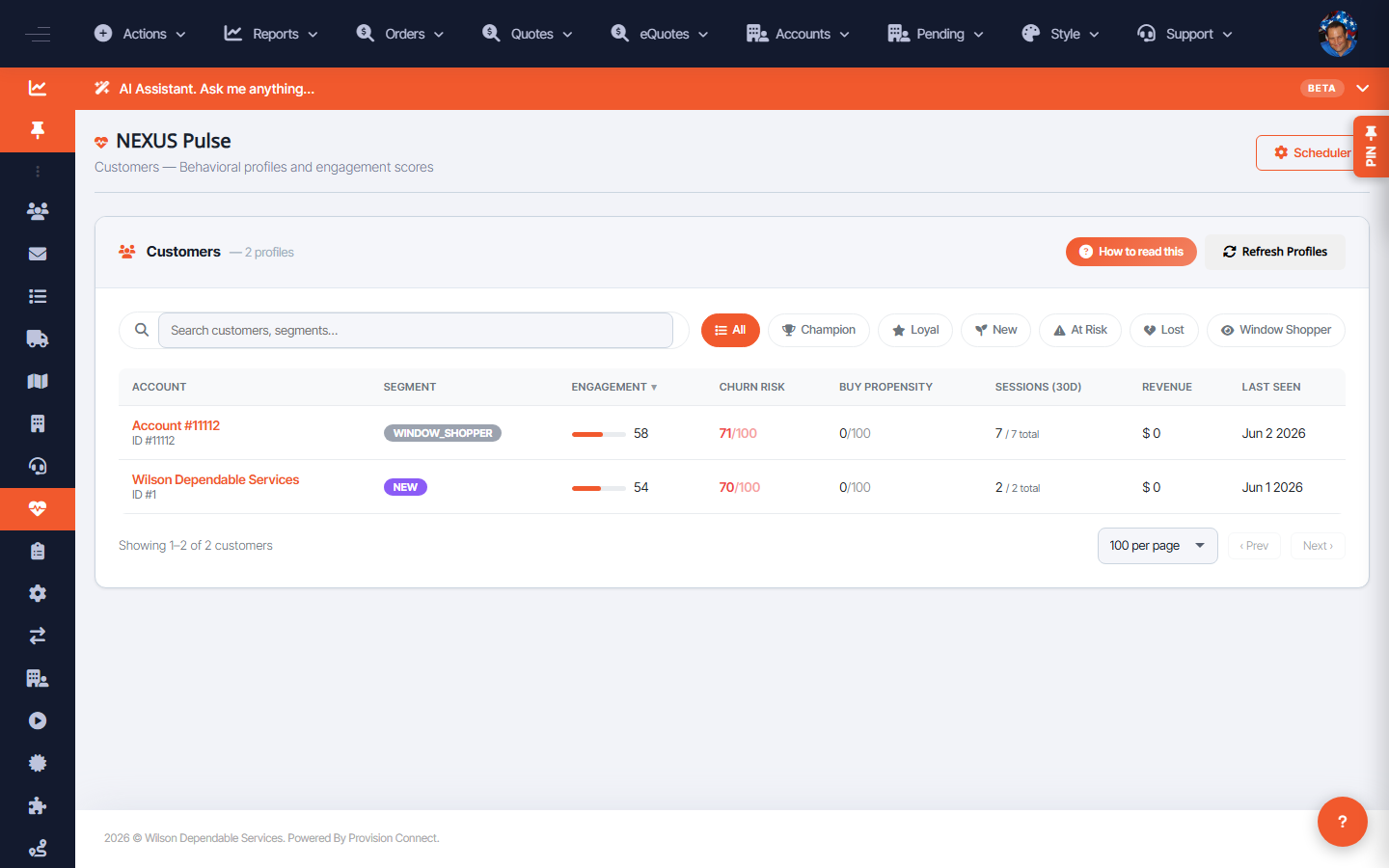
The Pulse Customers view profiles each account with a segment, engagement score, churn risk, buy propensity, 30-day session count, revenue, and last-seen date — an at-a-glance read on account health.
Before you start
- Required role: Admin (or Reseller Admin)
Steps
- Go to NEXUS Pulse ? Customers (
/nexus_pulse.cfm?view=customers). _(Columns: Account, Segment, Engagement, Churn Risk, Buy Propensity, Sessions (30d), Revenue, Last Seen)_ - Sort/scan by Churn Risk to find accounts to re-engage, or Buy Propensity for upsell targets.
What success looks like
You can identify which accounts are highly engaged, at risk, or likely to buy, and act before they churn.
Gotchas / troubleshooting
- Profiles depend on tracked sessions — low-traffic accounts may show sparse scores.
Related
- View real-time site analytics
- Configure Pulse scheduled digests