
Summary
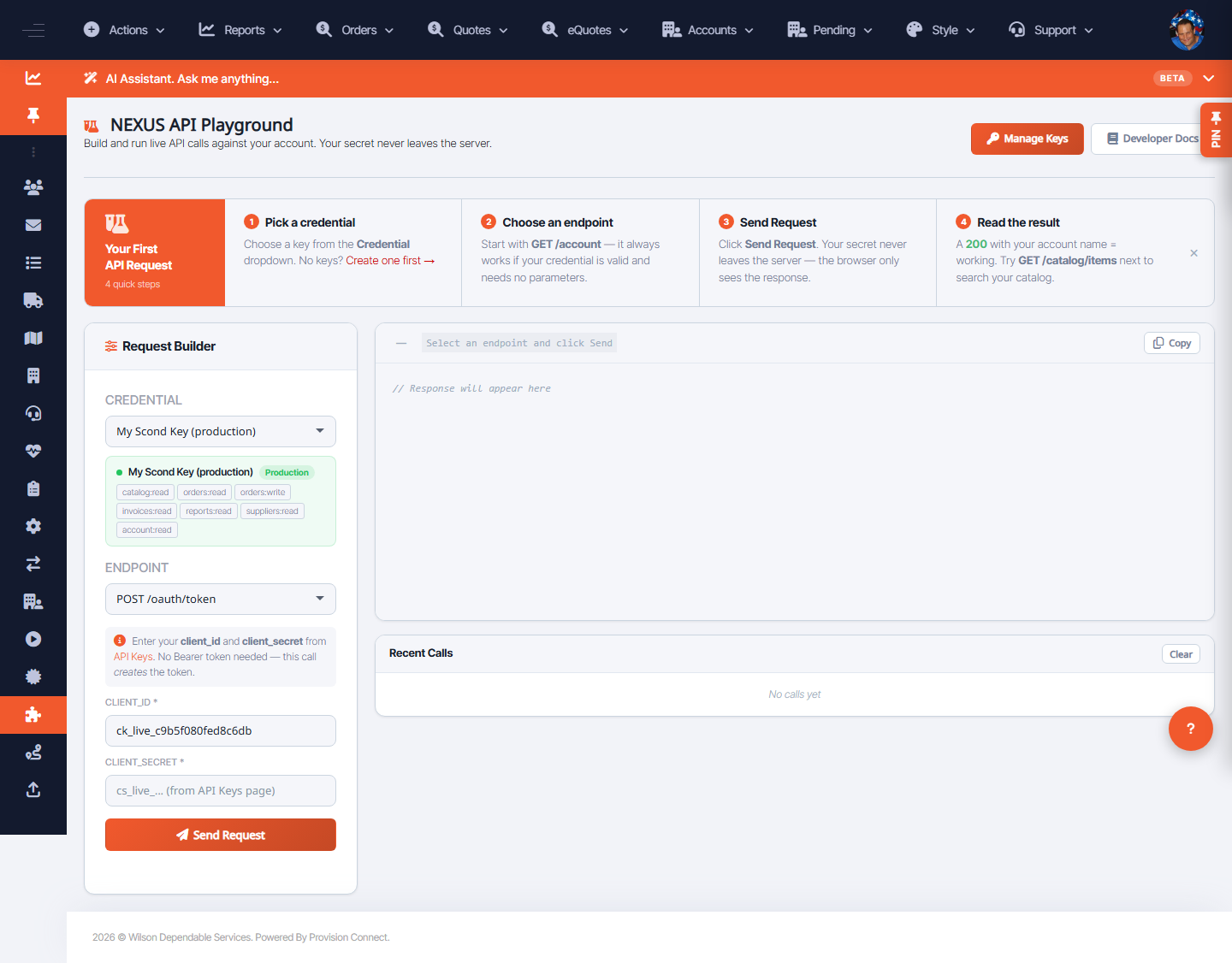
The API Playground lets you build a request, send it live, and copy a ready-made cURL command — the fastest way to confirm a credential works and see real responses.
Before you start
- Required role: Admin or Developer
- An API credential with the needed scopes
Steps
- Go to Integrations ? NEXUS API ? API Playground (
/nexus_api_playground.cfm). - In Request Builder, pick the endpoint/method and fill parameters.
- Click Send Request to run it live.
- Use cURL / Copy to grab the equivalent command for your code.
- Review Recent Calls for the history of what you sent.
What success looks like
The request returns a real response in the Playground, and the cURL snippet reproduces it outside the OCC.
Gotchas / troubleshooting
- A 401/403 means the credential lacks the scope for that endpoint — adjust scopes on the API Keys page.
Related
- Create a NEXUS API credential
- View API usage