
Summary
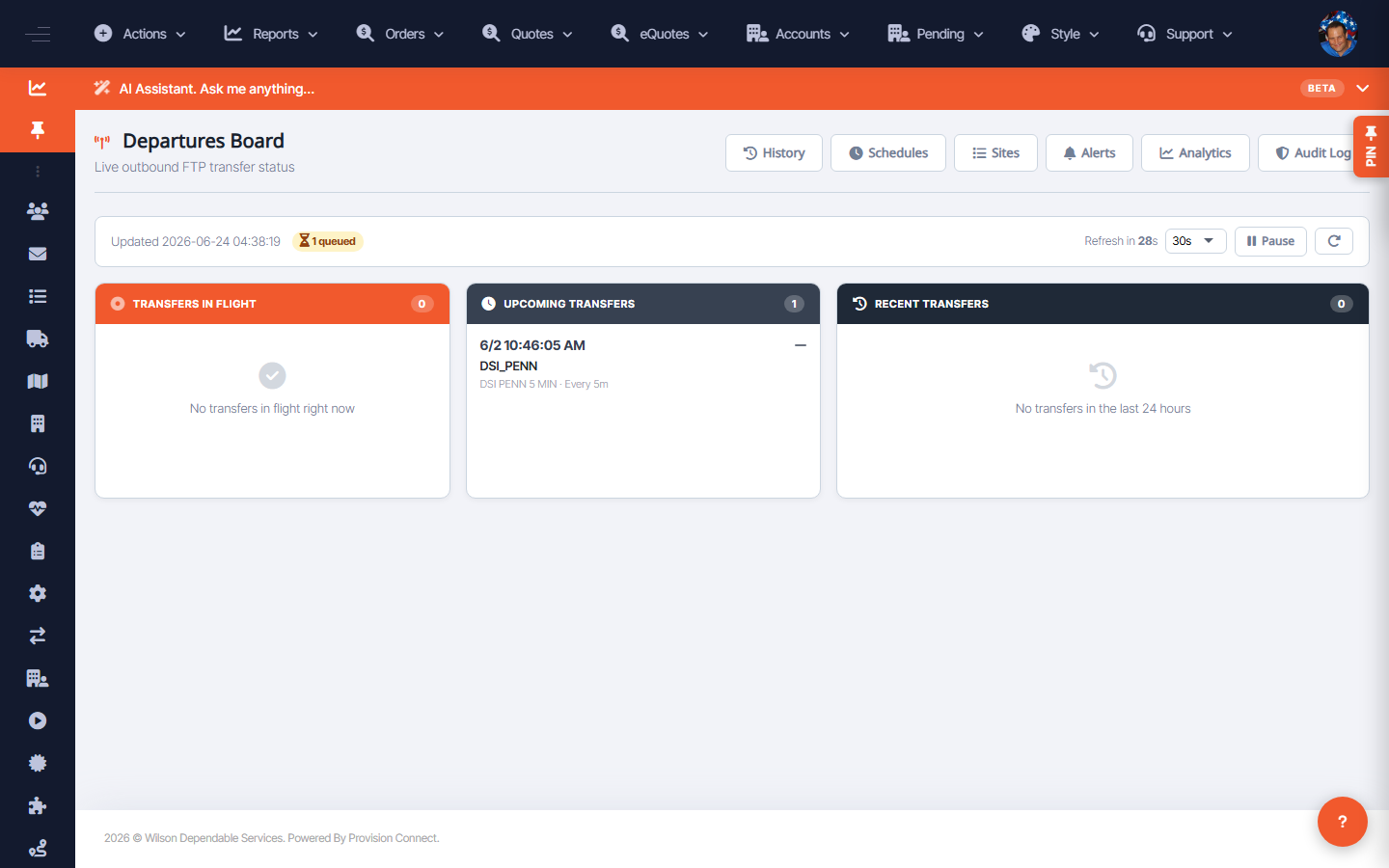
The Departures Board shows live outbound FTP transfer status, styled like an airport board: transfers in flight now, upcoming transfers (with their cadence), and recent transfers in the last 24 hours. Use it to confirm scheduled file feeds are running.
Before you start
- Required role: Admin
Steps
- Go to FTP Services ? Departures Board (
/ftp.cfm). - Read the three sections: Transfers in Flight, Upcoming Transfers (shows site and cadence, e.g. "Every 5m"), and Recent Transfers.
- Set the auto-refresh interval (10s / 30s / 60s) or click Pause to hold the view.
- Use the top tabs to jump to History, Schedules, Sites, Alerts, Analytics, Audit Log.
What success looks like
Upcoming transfers list the expected sites and cadences, and completed runs show in Recent Transfers — confirming feeds are flowing.
Gotchas / troubleshooting
- "No transfers in the last 24 hours" plus an overdue upcoming run can indicate a stalled schedule or a site connection problem — check Sites and Audit Log.
Related
- Manage FTP schedules
- Manage FTP sites
- View FTP transfer history