
Summary
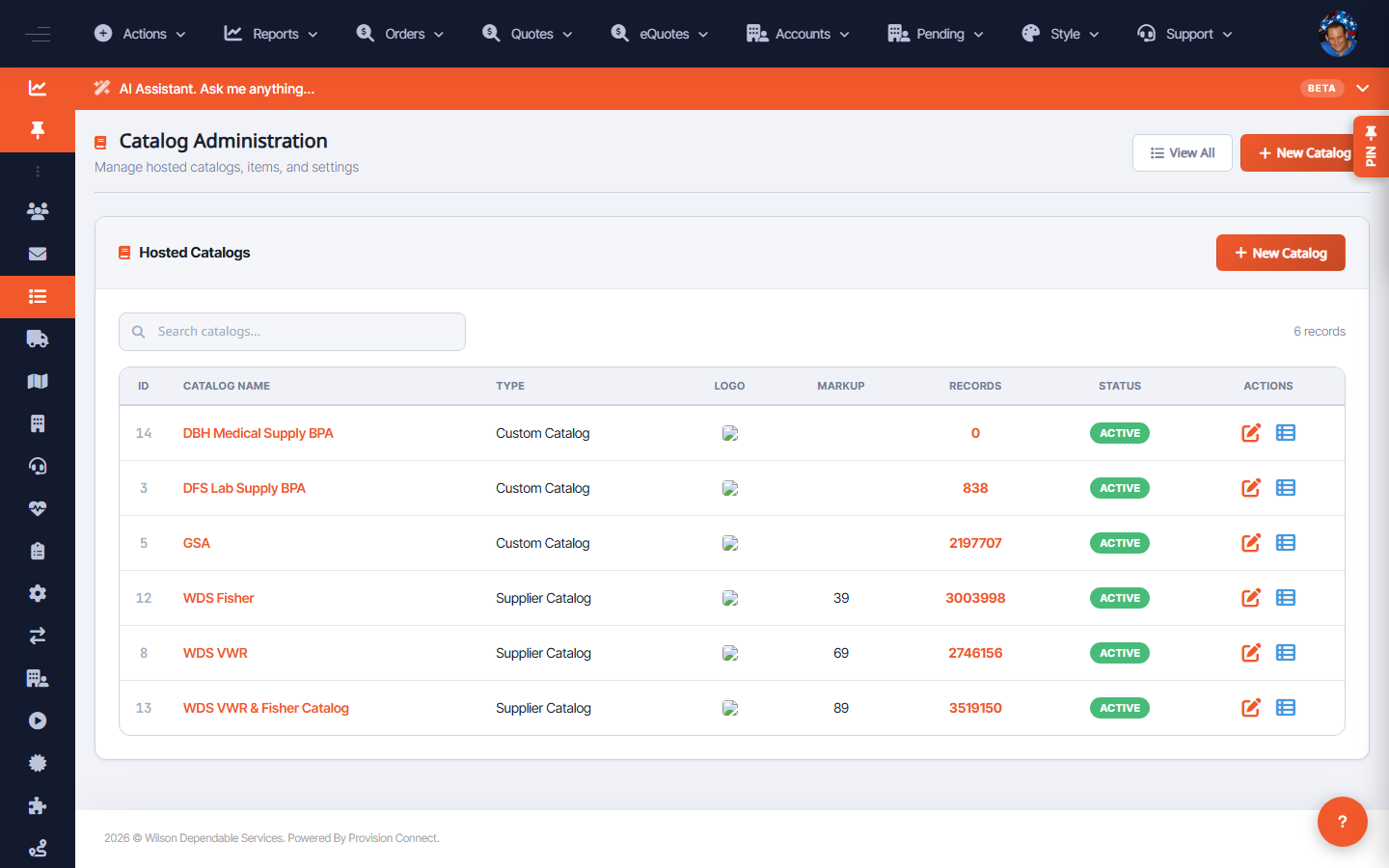
Create a new catalog in Catalog Administration. Catalogs are either Supplier Catalogs (fed from a supplier's data, e.g. VWR, Fisher) or Custom Catalogs (curated/BPA lists you build). Name it, pick the type, set its status, and save.
Before you start
- Required role: Admin or Catalog Manager
- Decide whether this is a supplier-fed catalog or a custom/BPA catalog
Steps
- Go to Catalog Administration (
/catalog.cfm?catalog_view=1). - Click New Catalog. _(Opens
catalog.cfm?catalog_add=1)_ - Enter the Catalog Name. _(Field: "CATALOG NAME *", required)_
- Choose the Catalog Type: Supplier Catalog or Custom Catalog. _(Field: "CATALOG TYPE")_
- Set Status to Active or Disabled. _(Field: "STATUS")_
- Optionally add a Description.
- Click Add Catalog. _(Expected result: the catalog appears in the Hosted Catalogs list)_
What success looks like
The new catalog shows in the Hosted Catalogs table with its ID, type, record count, and status. Active catalogs are available to assign products and apply markup.
Gotchas / troubleshooting
- A new custom catalog starts with 0 records until you add or import items.
- Supplier catalogs populate from the supplier feed; record counts reflect the latest sync.
Related
- Manage hosted catalogs (markup, status)
- Manage catalog products