
Summary
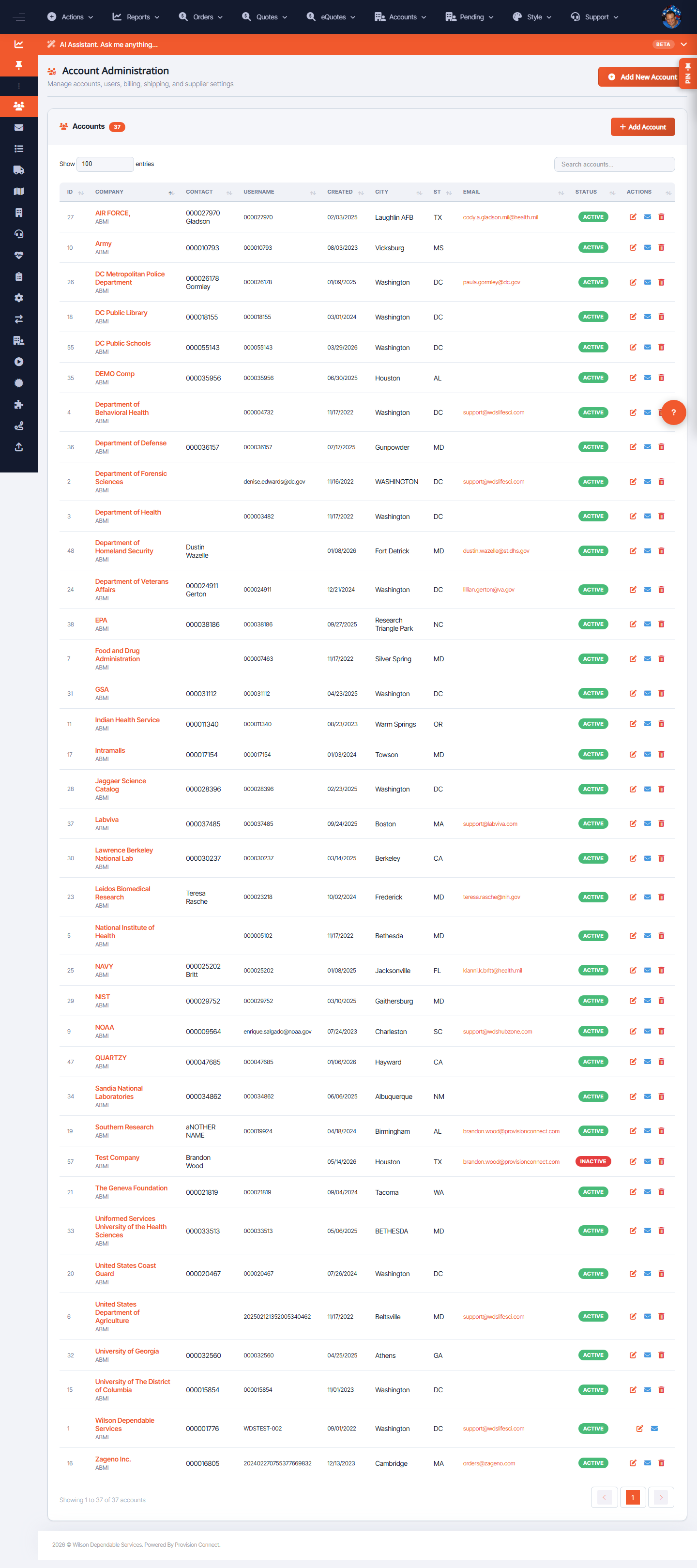
Account Administration lists every buyer account with company, contact, username, created date, location, email, and status. Create new accounts with Add New Account, and open any account to edit or disable it.
Before you start
- Required role: Admin
Steps
- Go to Account Admin (
/account_info.cfm?account_page=1). _(Columns: ID, Company, Contact, Username, Created, City, ST, Email, Status, Actions)_ - To add one, choose Actions ? Add New Account (
account_info.cfm?area=&account_page=) and complete the account details. - Use row Actions to edit, change status, or open the account's users and ship-tos.
What success looks like
The new account appears in the list with an Active status and is available to attach users, ship-tos, and catalog access.
Gotchas / troubleshooting
- An account needs at least one login before a buyer can use it — create a user/login after adding the account.
Related
- Create a customer login
- Find users
- Manage and upload Ship-To mappings