
Summary
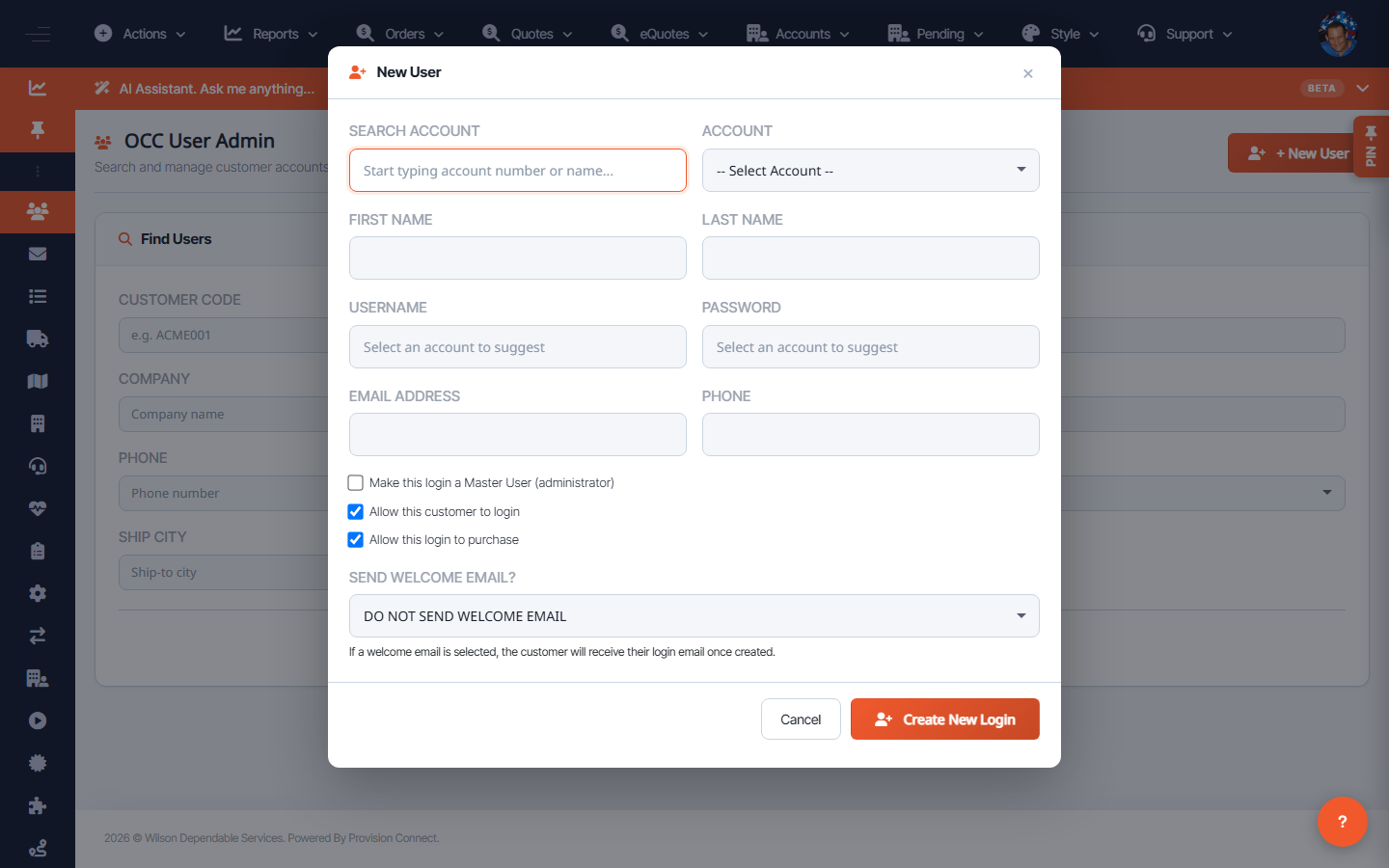
Create a login for a buyer under an account and control whether they're a master (administrator) user, can log in, and can purchase. You can send a welcome email at creation.
Before you start
- Required role: Admin
- The account the user belongs to must already exist
Steps
- Go to User Admin (
/customers.cfm?search=1) and click + New User (or Create New Login). - Use Search Account to attach the login to the right Account.
- Enter the user's Email Address and set a Password.
- Set permissions:
- Make this login a Master User (administrator) — full account admin.
- Allow this customer to login — enables/disables sign-in.
- Allow this login to purchase — controls ordering rights.
- Optionally check Send Welcome Email?.
- Click Create New Login.
What success looks like
The login appears under its account; if a welcome email was sent, the user receives setup instructions; permission flags match what you set.
Gotchas / troubleshooting
- A user with login allowed but purchase disabled can browse but not order — useful for approvers/viewers.
- Master User grants account-wide admin; assign it sparingly.
Related
- Find users
- Manage accounts