
Summary
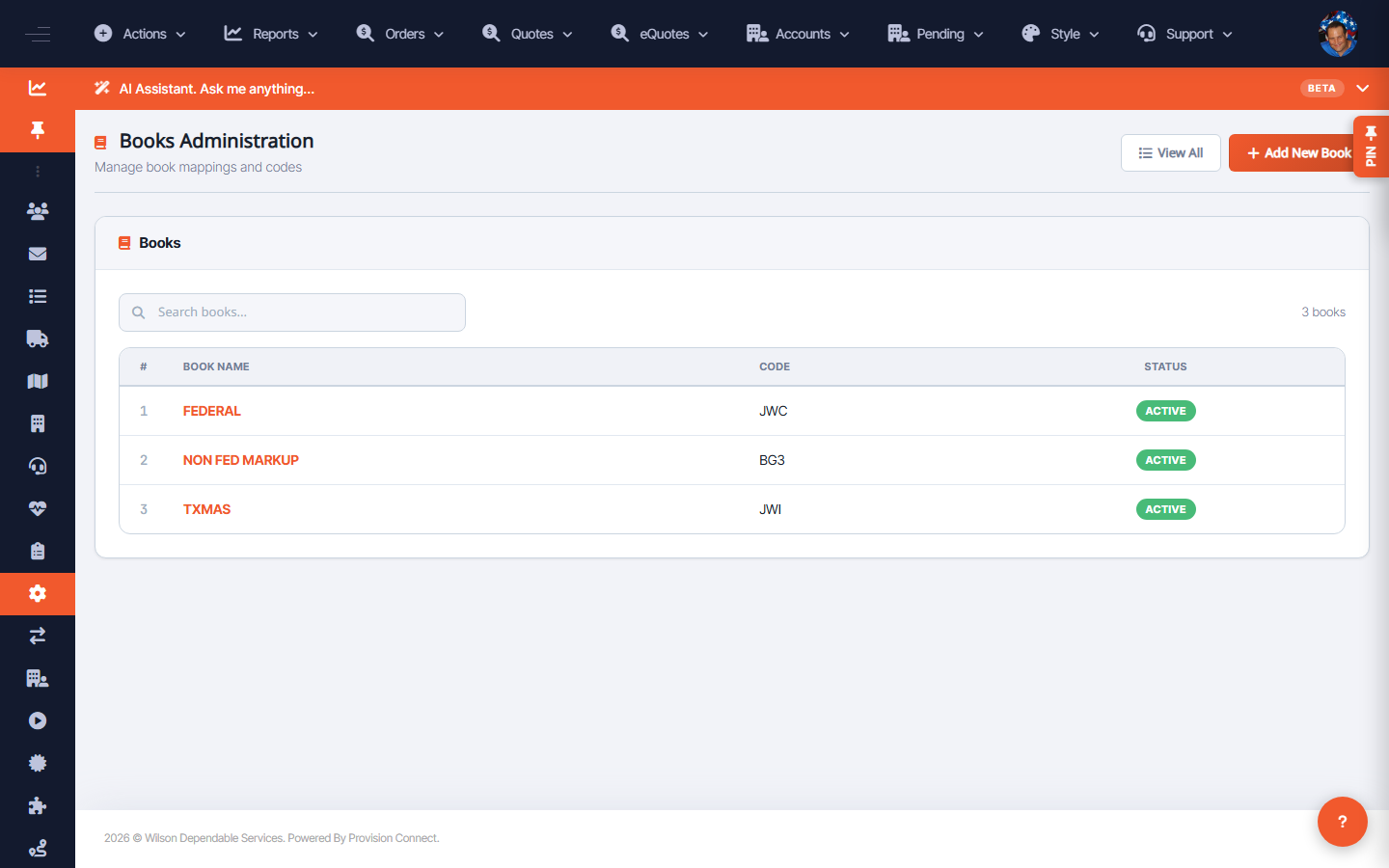
Books Administration maintains the pricing/contract books (such as GSA and Federal) that catalogs, quotes, and restriction rules reference. Each book has a name, code, and status.
Before you start
- Required role: Admin
Steps
- Go to Configuration ? Book Admin (
/books.cfm?books_view=1). _(Columns: #, Book Name, Code, Status)_ - Add or edit a book, setting its Name and Code.
- Set Status to control whether the book is in use.
What success looks like
The book appears in the list with the correct code and active status and can be selected where books are referenced (catalogs, quotes, restriction filters like the All/GSA toggle).
Gotchas / troubleshooting
- Book Code is referenced elsewhere; keep it stable to avoid breaking links to catalogs and quotes.
Related
- Manage contracts
- View and manage hosted catalogs